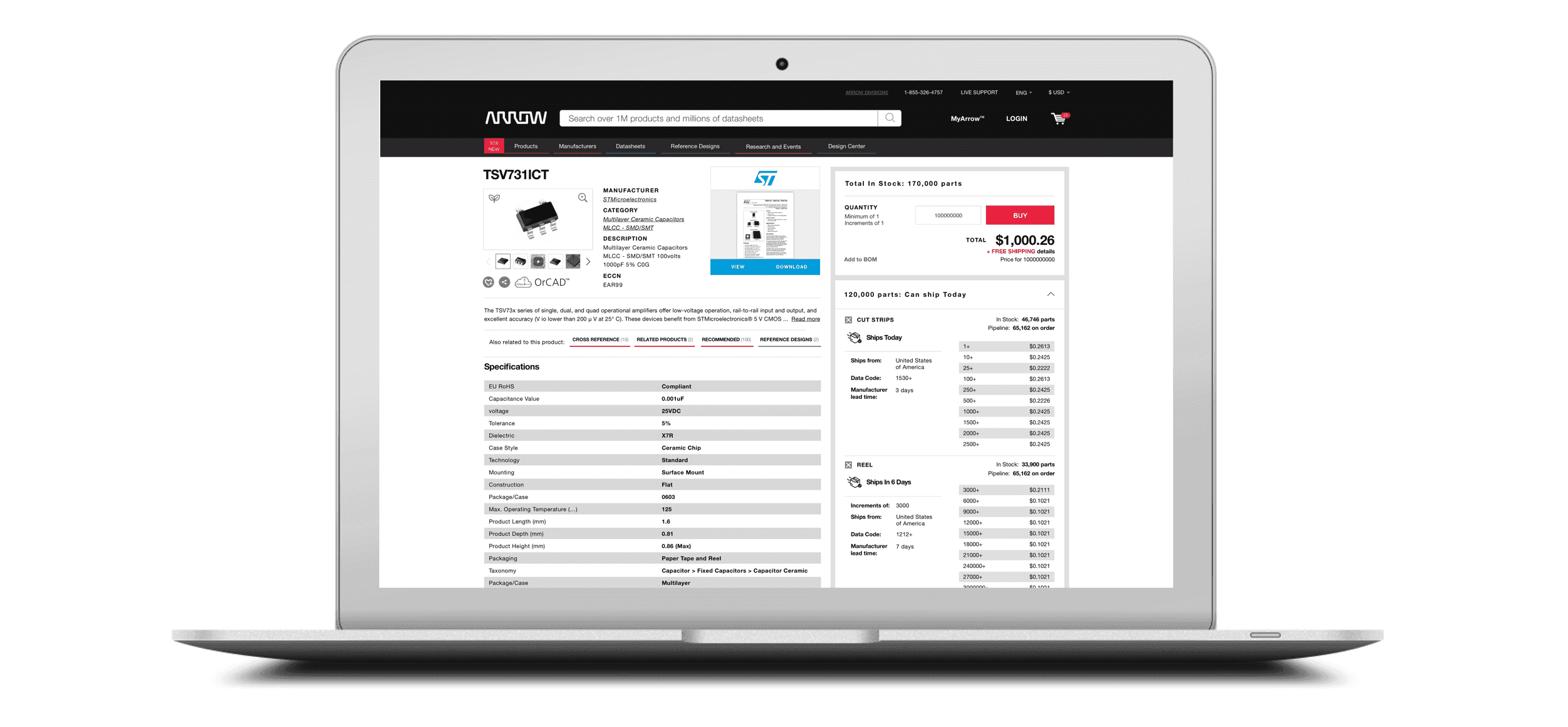
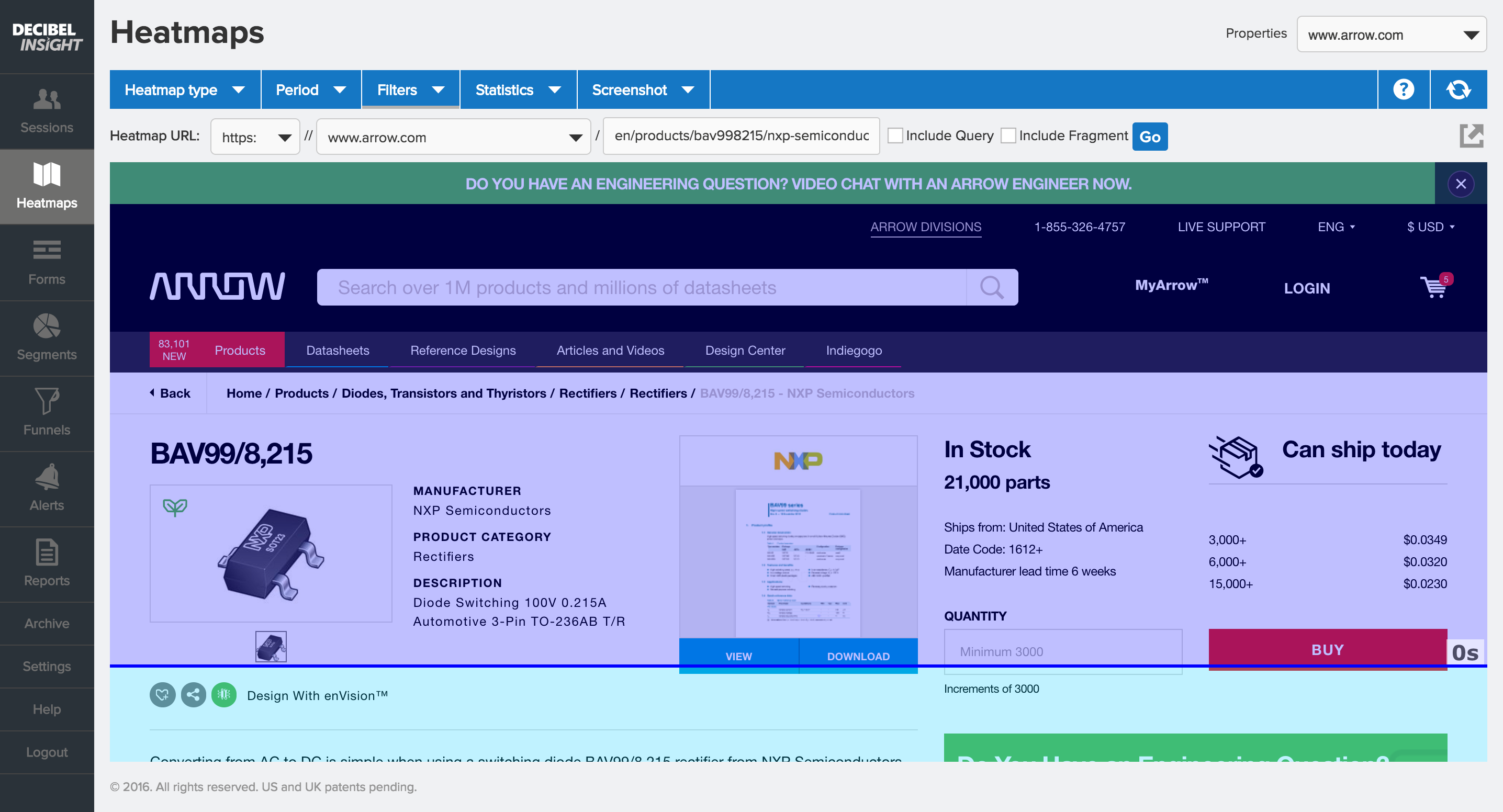
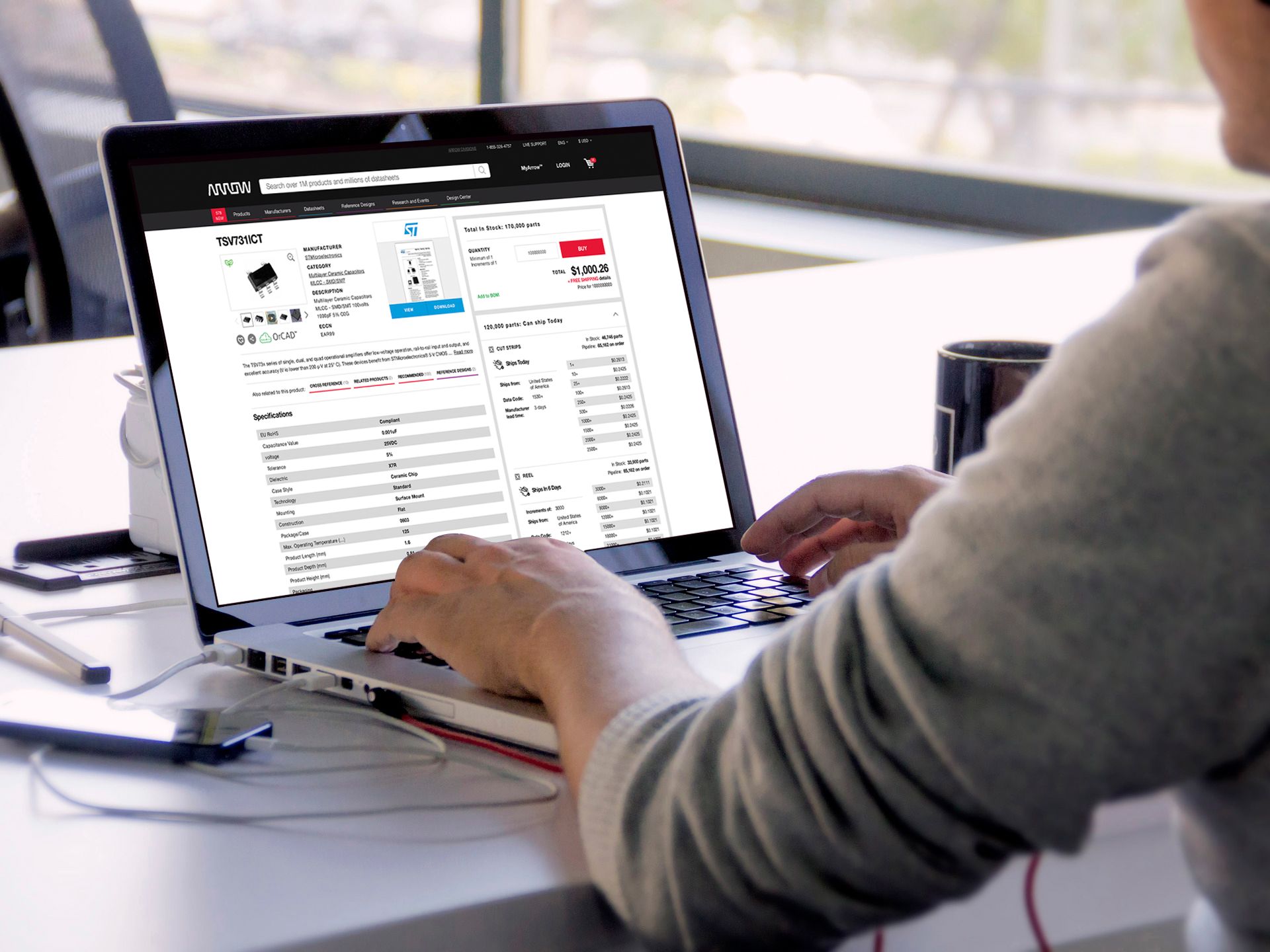
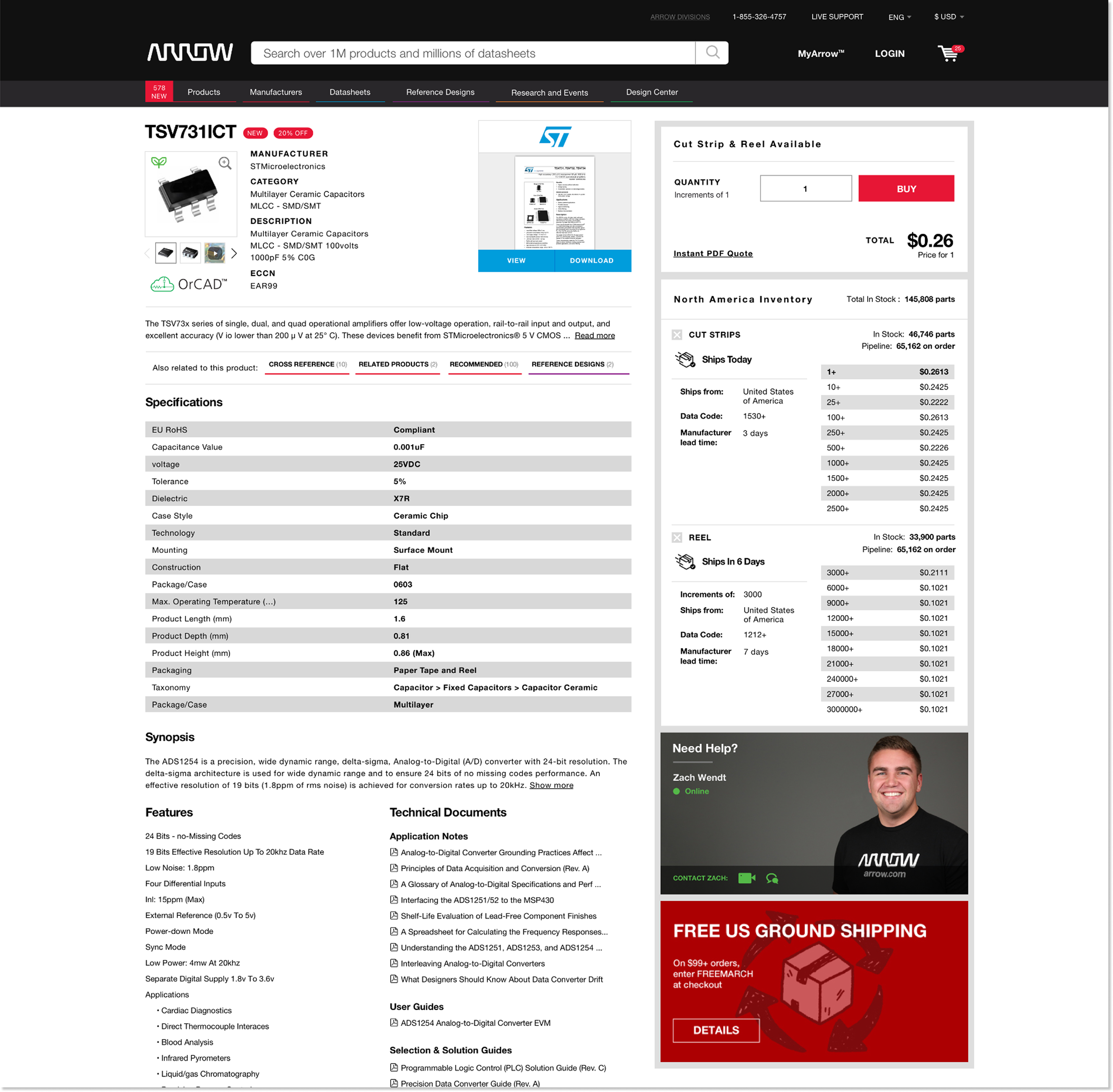
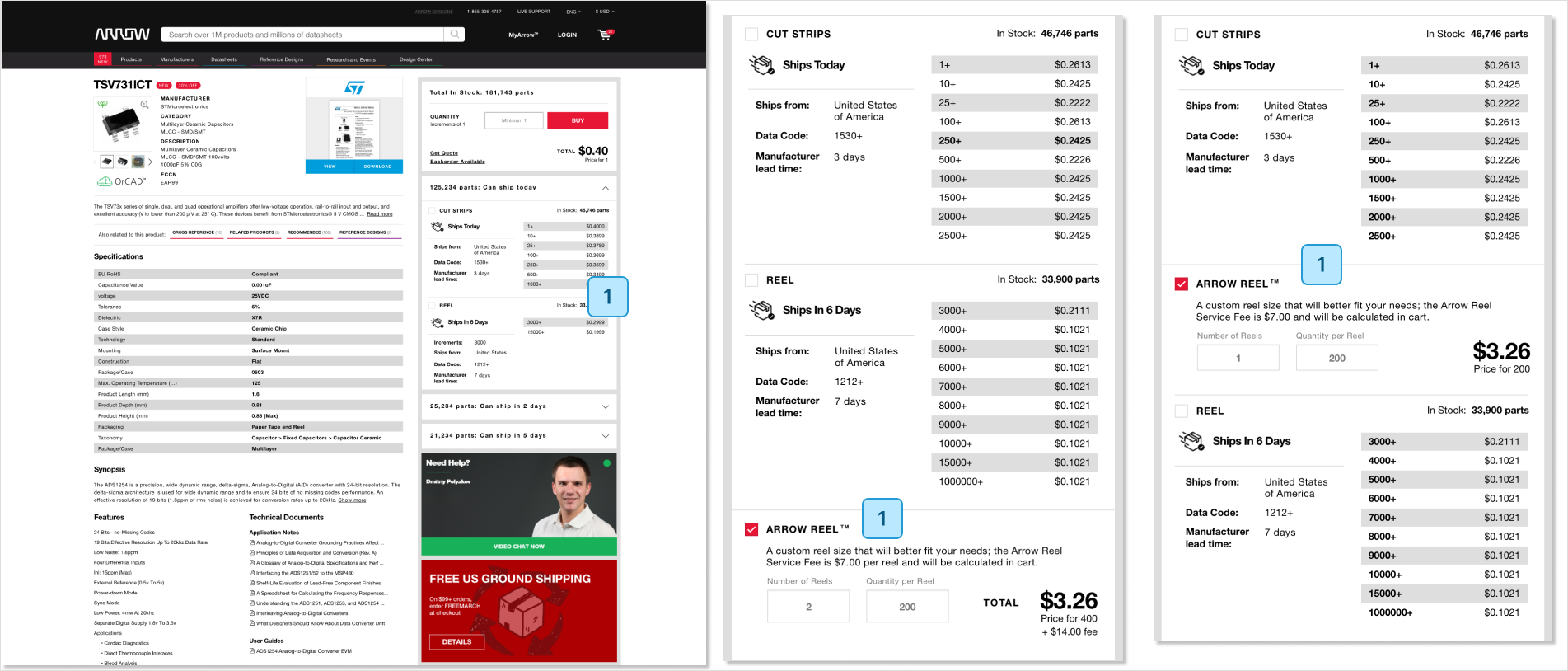
Excessive buying options, poor data organization, and unclear messaging make the PDP experience confusing, contributing to a 71% abandonment rate, despite being one of the most visited pages on Arrow.com.
Increased user confidence on the product detail page, reducing time on page, session length, and abandonment rate, while driving higher revenue and average order value (AOV).
The challenge was to transform Arrow.com into a standard eCommerce buying experience. At first glance, the project seemed straightforward. As a newly hired designer at a global billion dollar company, how naïve could I be? The answer: quite a bit.
After an initial kickoff meeting with my product owner, I began scheduling one-on-one sessions with key stakeholders—people managing backend data feeds, inventory systems, and frontend development—to better understand the underlying complexity and how each department influenced the user experience on the Product Detail Page.
One key insight from these conversations was how Arrow.com relied heavily on technology, processes, and frameworks from Arrow Core, the company’s internal B2B platform, to get the site up and running quickly. While this approach reduced time to market, it also introduced significant pain points and technical debt that required close cross functional collaboration with the Arrow Core teams to resolve.
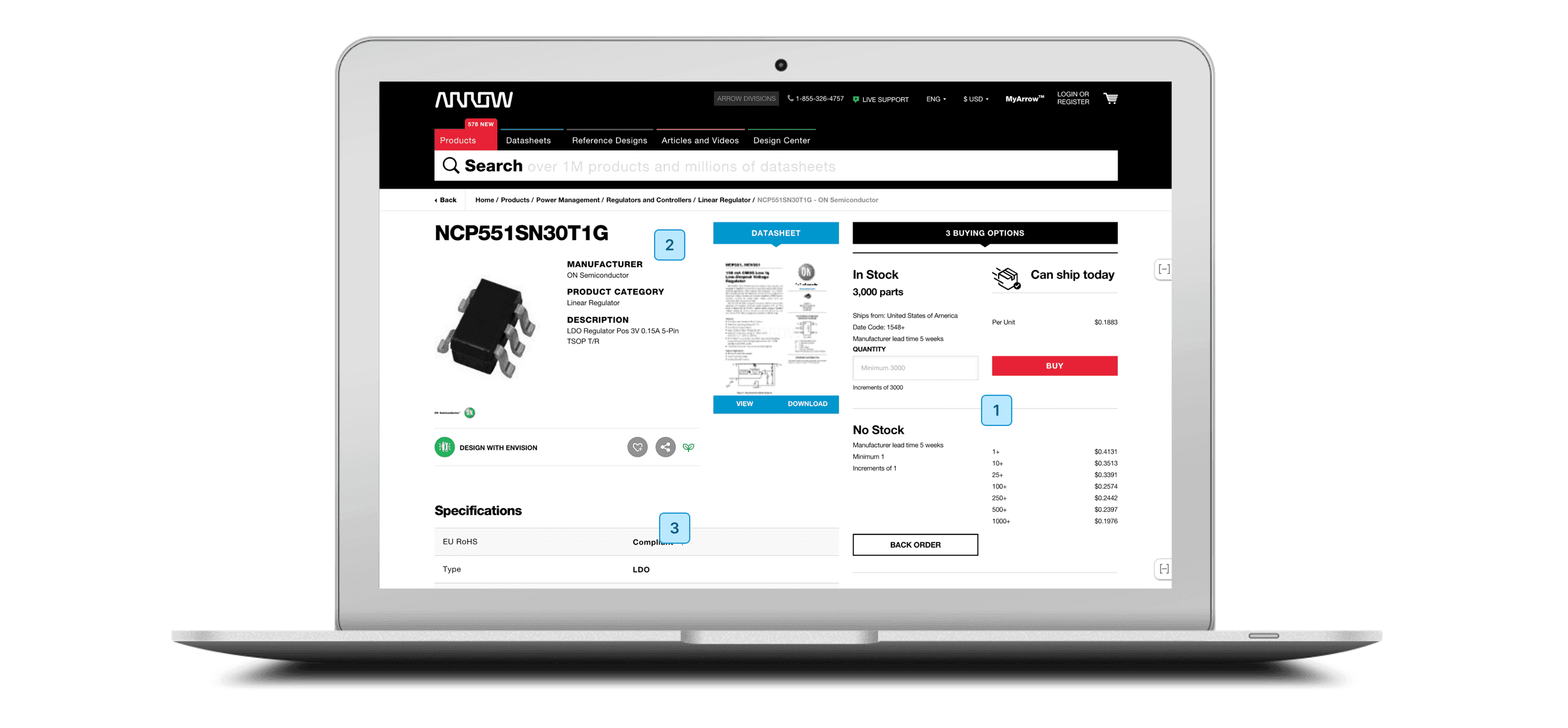
Below are several issues that may lead potential customers to distrust Arrow.com for their next purchase.
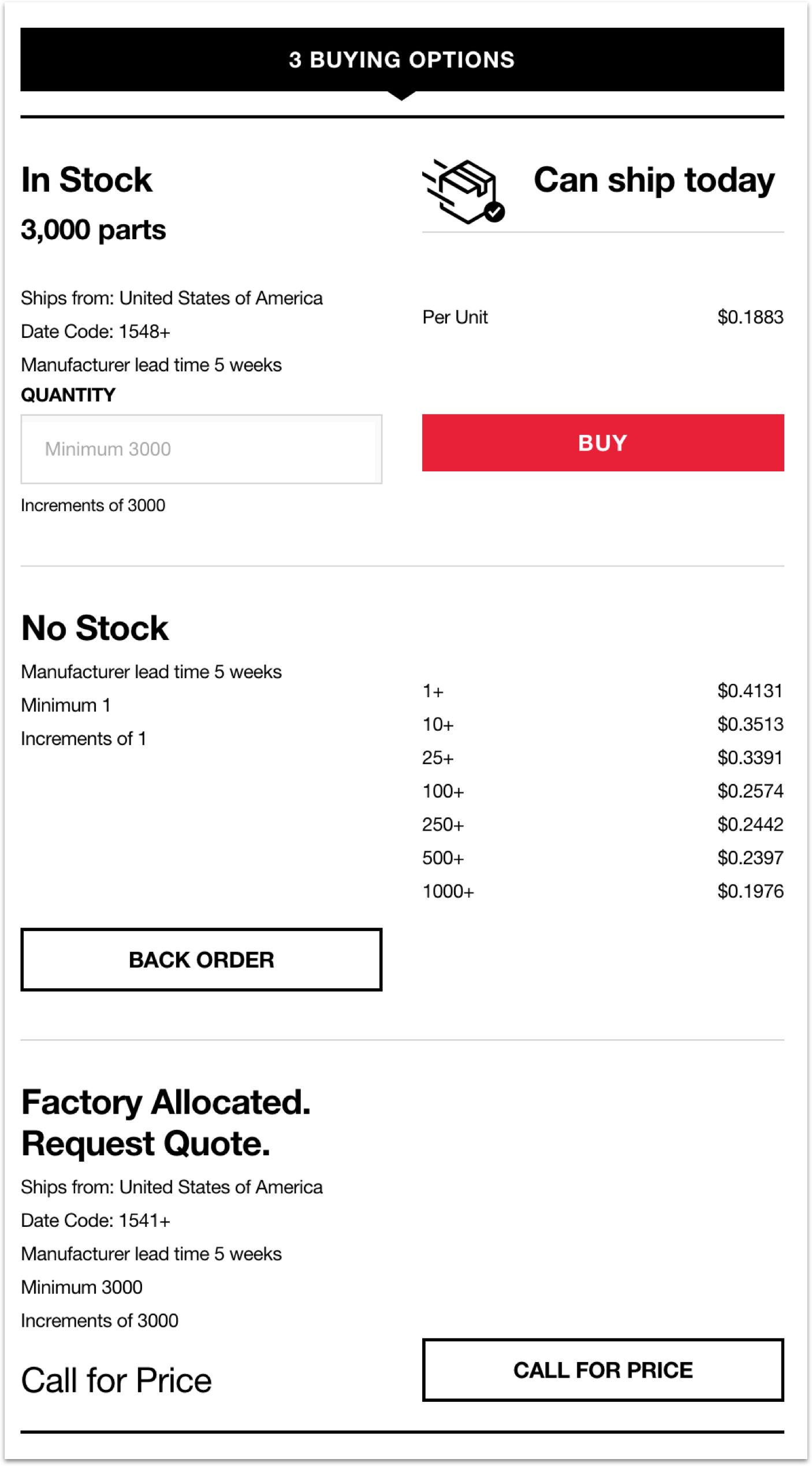
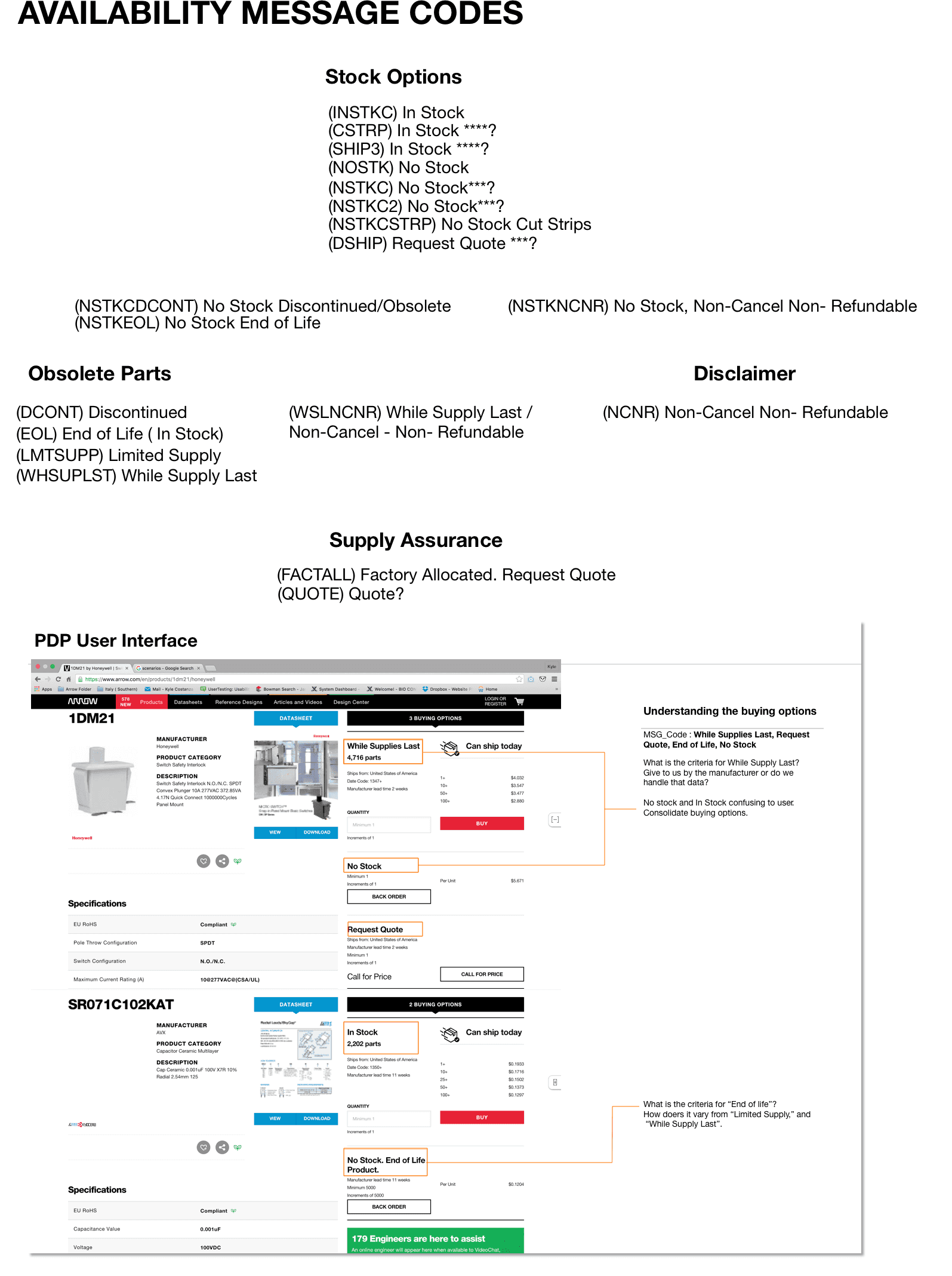
In this particular example, three different buying journeys are presented to the user: In-stock (Buy), No-Stock (backorder), and Request Quote (call for price), all of which are separate inventories displaying their own data, individual experiences, and design hierarchy. Currently, arrow.com presents all potential buying options, and SKU’s to the frontend based on the data coming from the inventory feeds, which is creating confusion, large abandonment rate, and an overall bad experience.
To further confusion, “backorder,” and “call for price” CTA's are the same experience, a form sent to customer service. The process is lengthy and convoluted.
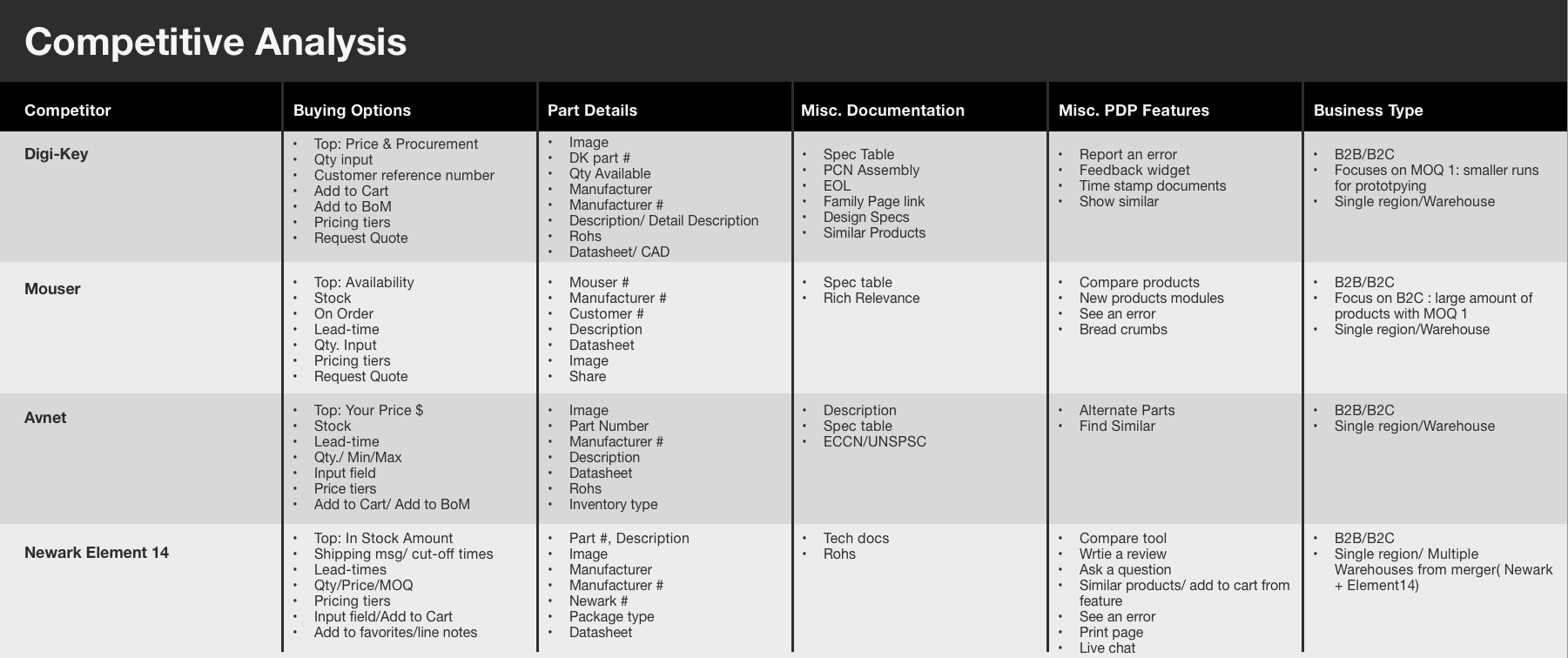
The research phase began with a competitive analysis of other eCommerce component distribution sites, including Digi-Key, Mouser, Avnet, Octopart, Newark Element 14, and Premier Farnell. While these platforms shared similar themes and content, it was important to identify differences in the user experience, particularly in how users purchase and source components.
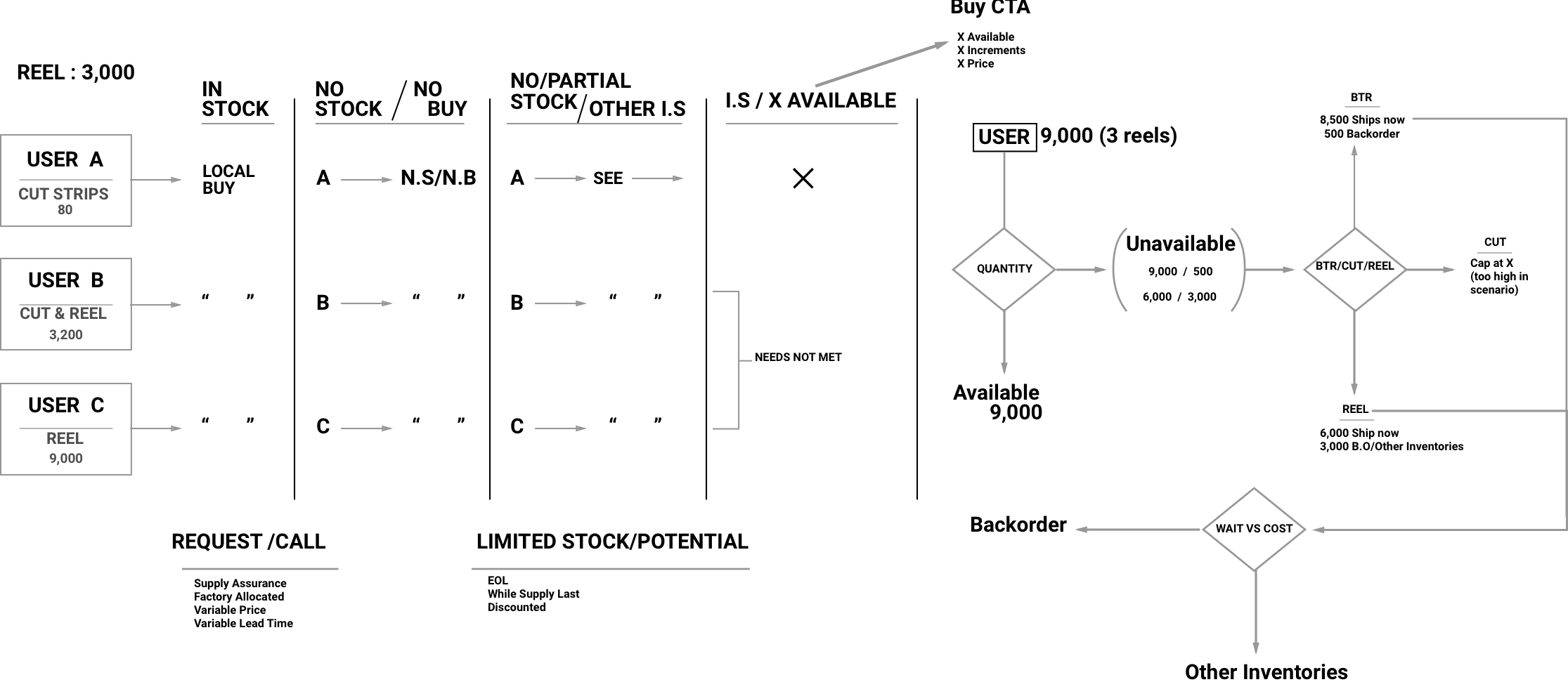
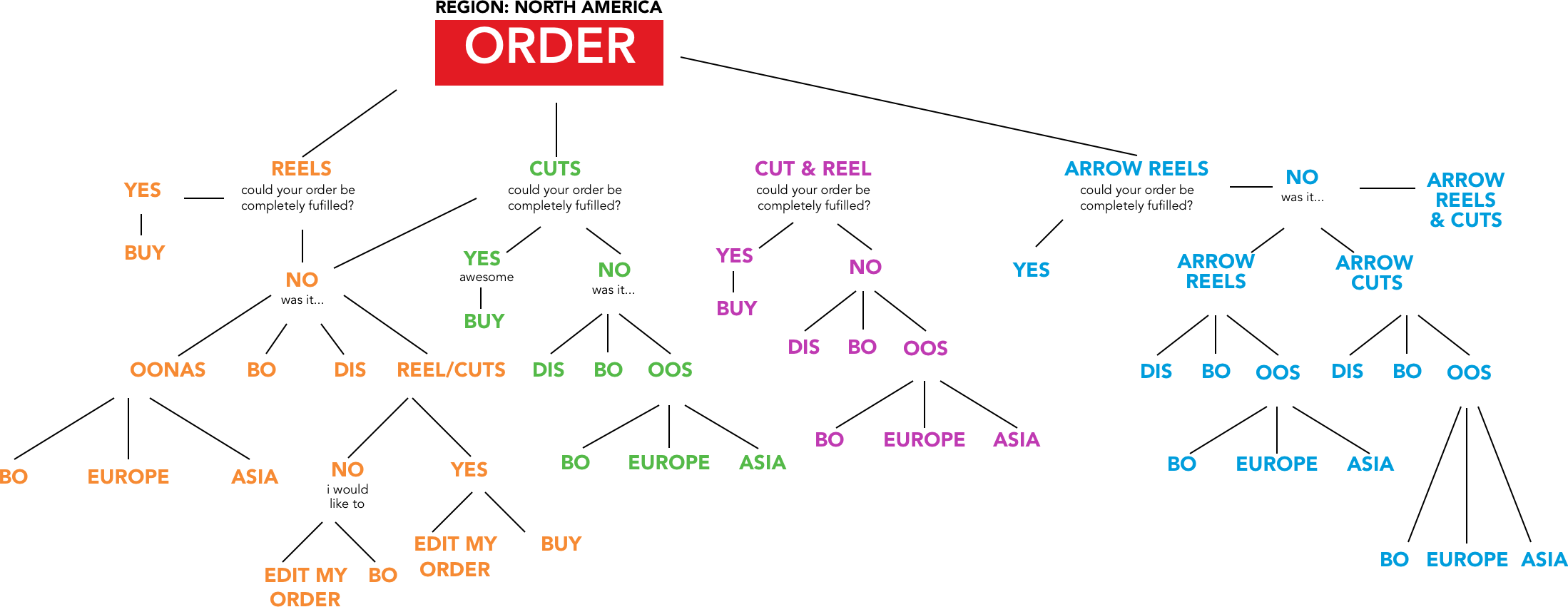
Being tasked to update a purchasing journey can be complicated. As part of my process, I like to diagram all use cases in order to drive a proper strategy and approach under the constraints of the current system and data being fed to the user on the frontend. After validating all use cases, I pulled GA data to provide weight to each use case. This provides the team and stakeholders opportunity for prioritization if time and/or money becomes an issue.
Below are the various purchasing scenarios, along with the various types (request/call & limited stock/potential) of a-typical buying experiences and data supported, which can be due to legacy systems, bad data or business rules. Working with various stakeholders created an understanding of knowledge and paths forward to limit confusing and friction on the frontend.
Below is an example of all the message codes that Aegis and Unity, arrow.com’s inventory management system, housed for part and pricing information. Some of which were presented to the frontend and some weren’t. One of the biggest challenges I faced was trying to align the data being fed to the user to create a consistent journey.
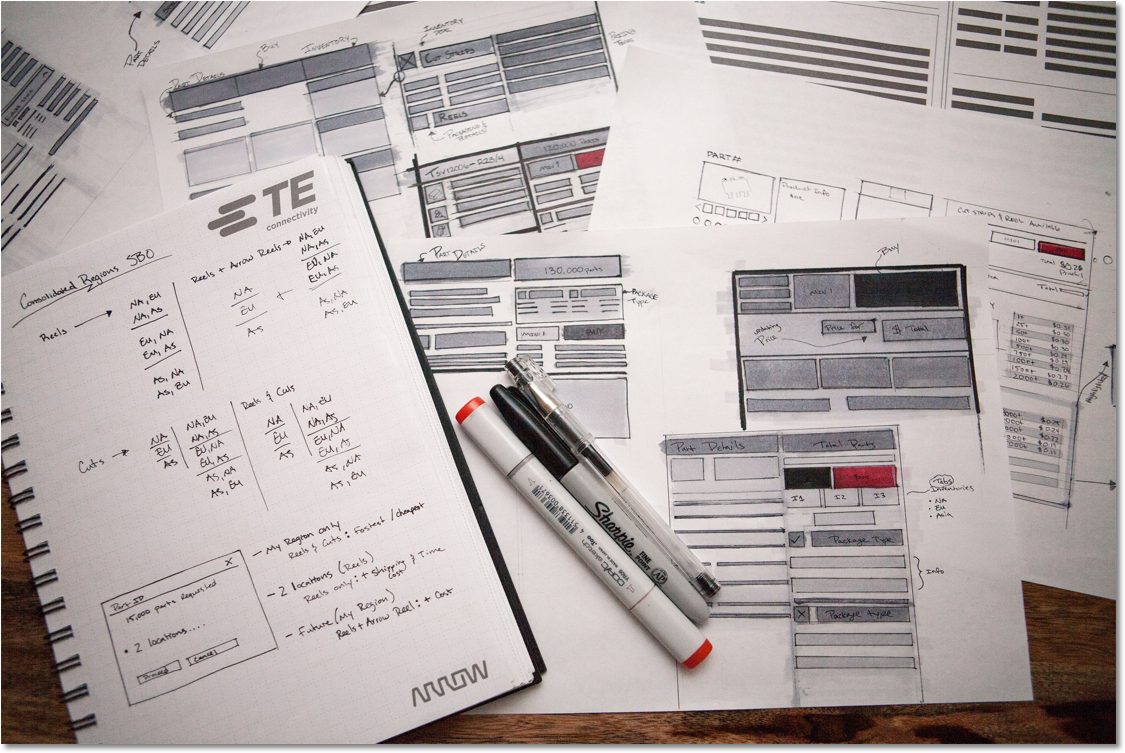
With the preliminary research complete, I took the findings to help define requirements then proceeded to sketch out concepts. I enjoy this particular step in the design process because it allows me to work through complex journeys & experiences by putting down ideas rapidly, document questions & experiences I need to get feedback on, and drive a baseline experience from the user’s vantage point in order to user test.
Below visualizes me working through what can be considered primary and secondary purchasing information, how to organize the pricing info, purchasing scenarios, how will the user engage with the other inventories, what is the least amount of information needed in the journey to add a part to cart, arrangement of package types and displaying availability message codes.
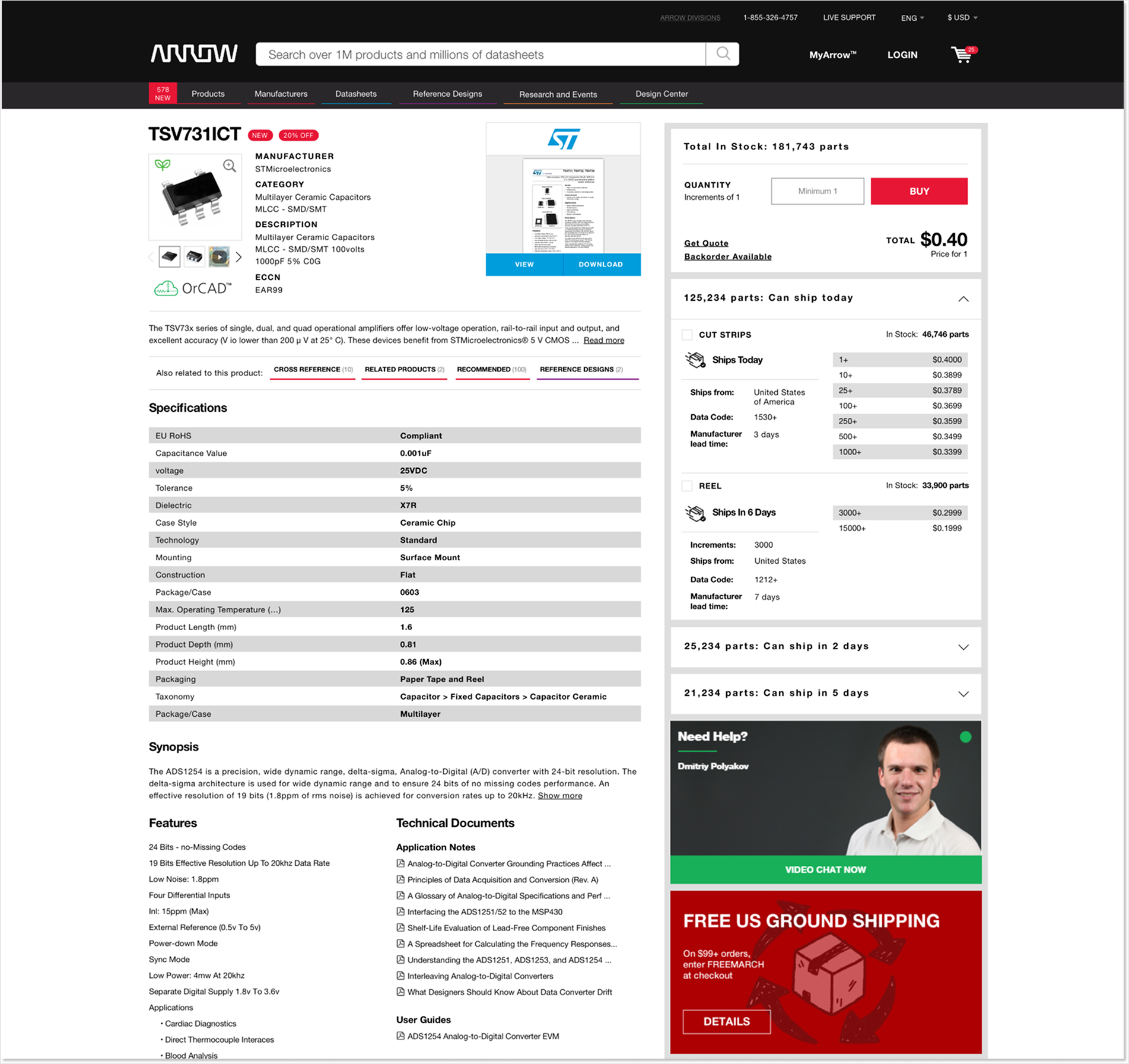
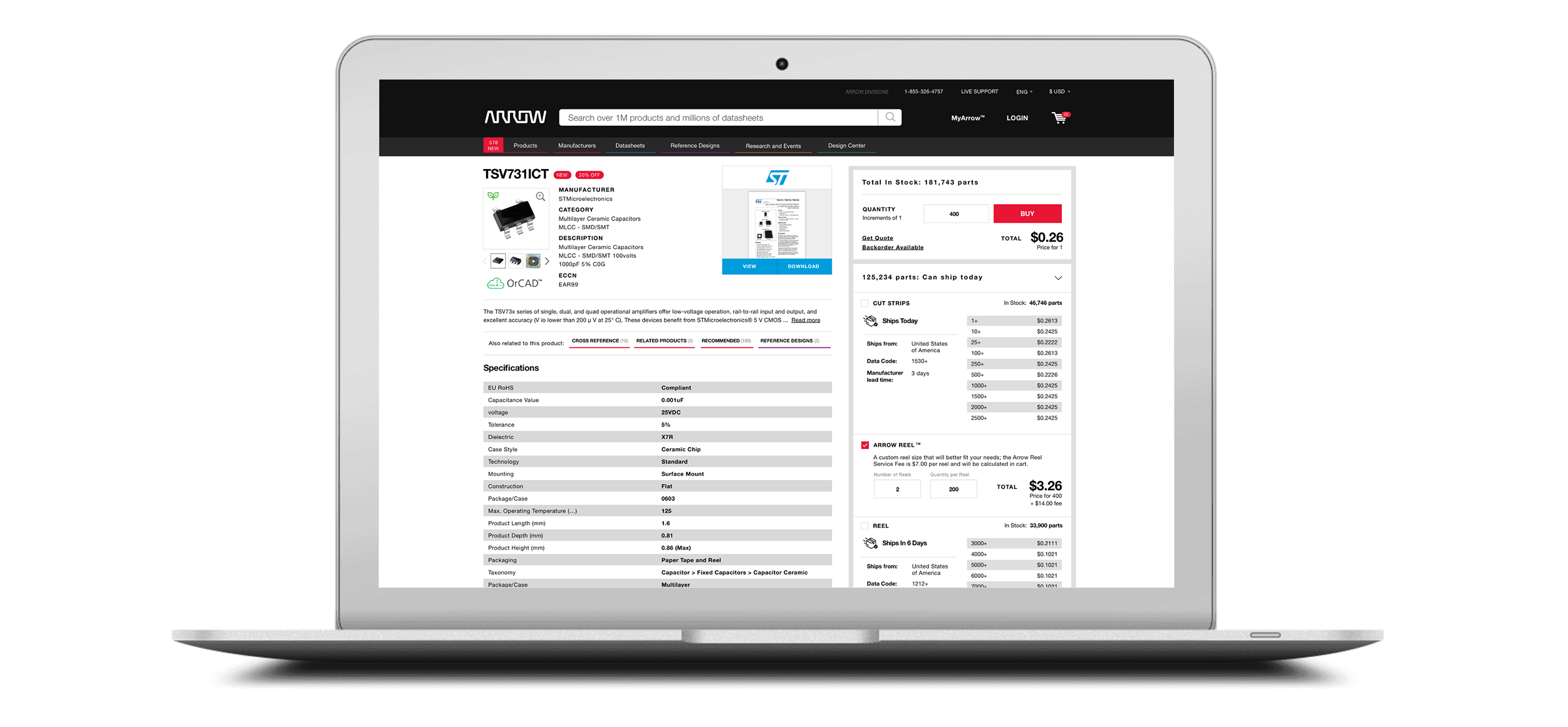
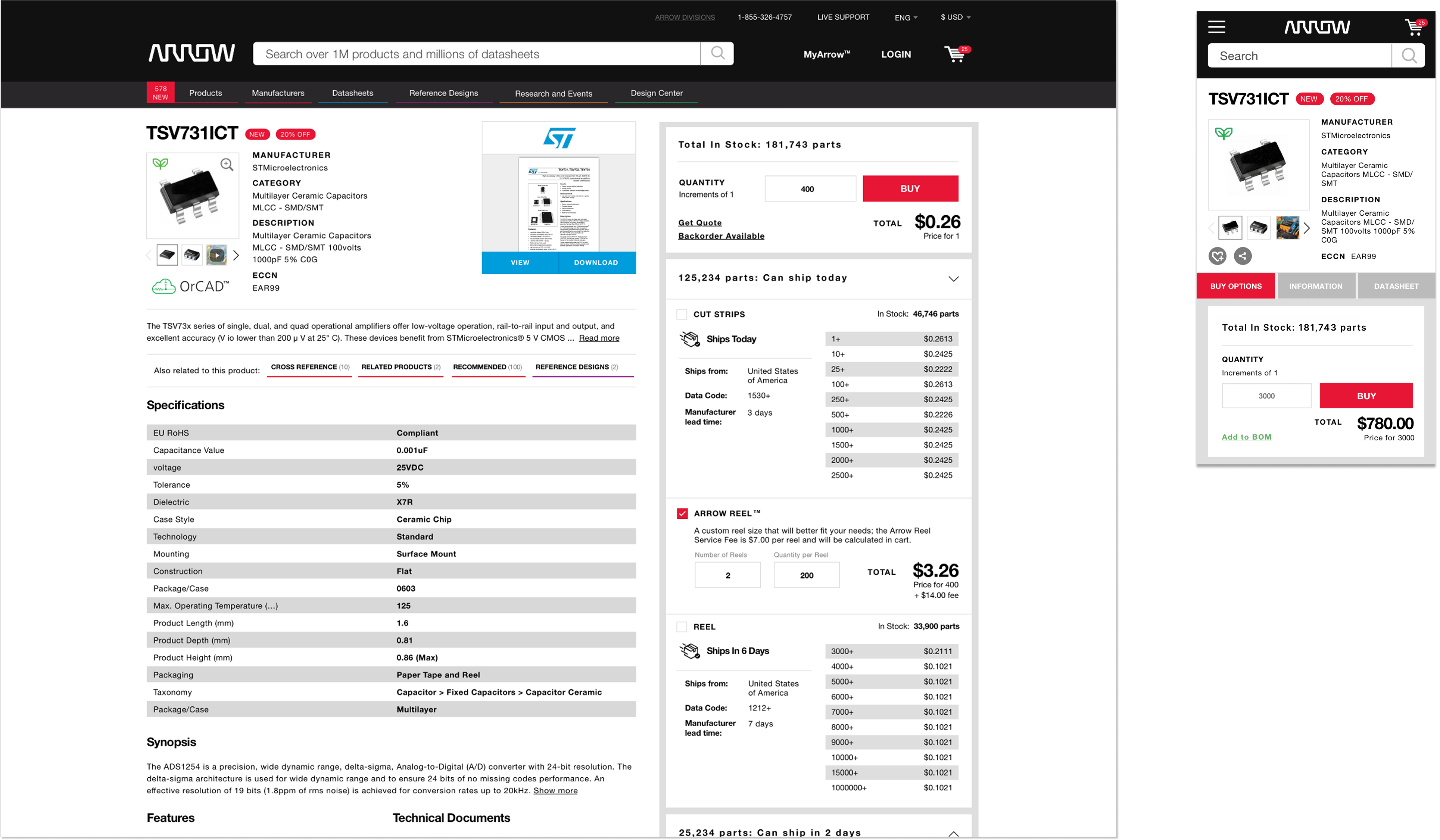
Bringing together business goals and proper UX strategy shaped the iterative MVP approach by creating primary and secondary purchasing experiences. In a 3-phase approach, below is an example of phase 2 of the product detail page implementation on Arrow.com.
100% of user found the new Single Buying Options (SBO) purchasing process more intuitive, efficient and effective when purchasing parts.
1/3 of users were confused whether to click on the packing type checkbox first or enter a quantity in, especially when two packing types were present. Though, once the users were familiar with the purchasing process it became a natural experience.
When user's landed on a PDP that has both package types, cut strips and reels, 60% of user's do not see reels. Therefore, the user would not see the interactions happening below when adding that package type (reel) to cart in the single buying options section.
Another behavioral tendency I found interesting was around 50% of our users rendered their attention to the product details/spec table to find answers regarding part specific purchasing information. This could be due to prior expectations, learned behavior from our competitors, and/or unfamiliarity with Arrow.com.
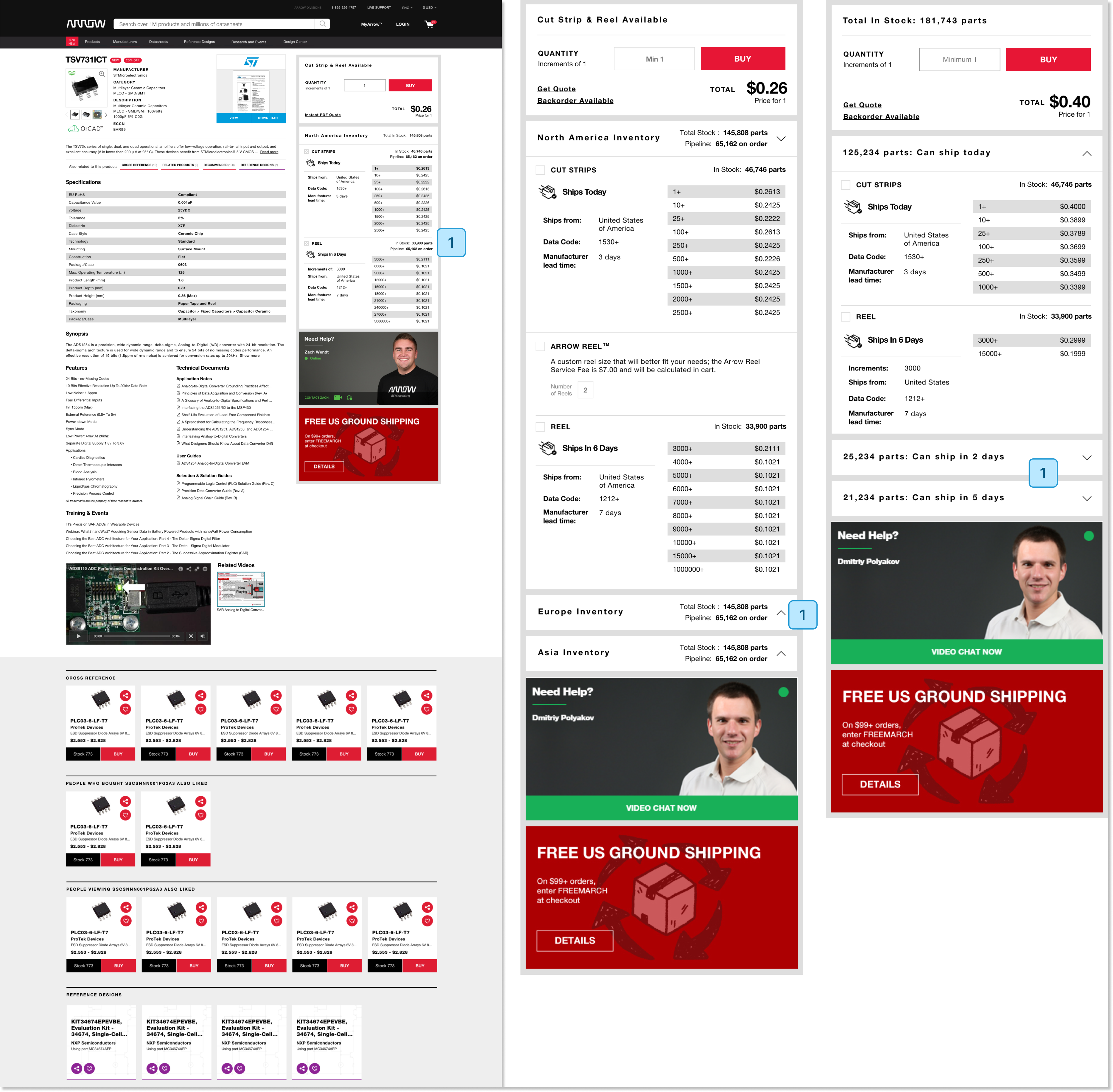
The first step in optimizing the Product Detail Page (PDP) was to present a single buying option tailored to the region closest to the potential purchaser. This required aligning and maintaining inventory and pricing data separately for each region: Americas, EMEA, and APAC. Buyers can only see inventory in a single region at this time.
In previous research sessions, users indicated that location of inventory served as a direct signal of product quality. I wanted to explore this insight further.
'Ship' windows were validated as the winner of the a/b test. The inventory nearest to your location will always be the first bucket on top to with the fast ship window.
The final key component of the PDP optimization was adding custom reels to the buying options. Custom reels offer customers the benefits of standard reels but in quantities tailored to their specific project needs.